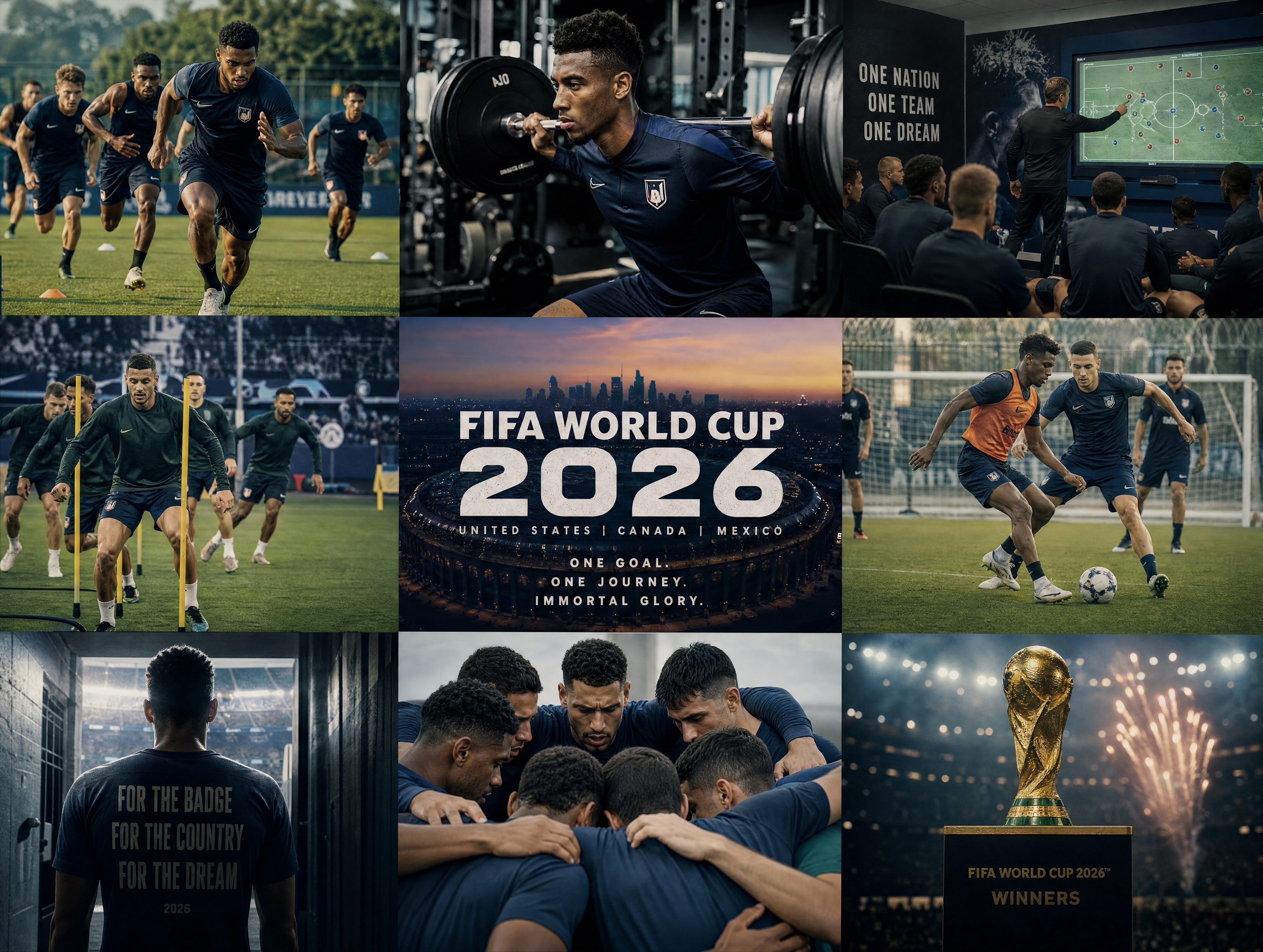
World Cup Watch Party Content Ideas: AI Images & Reels

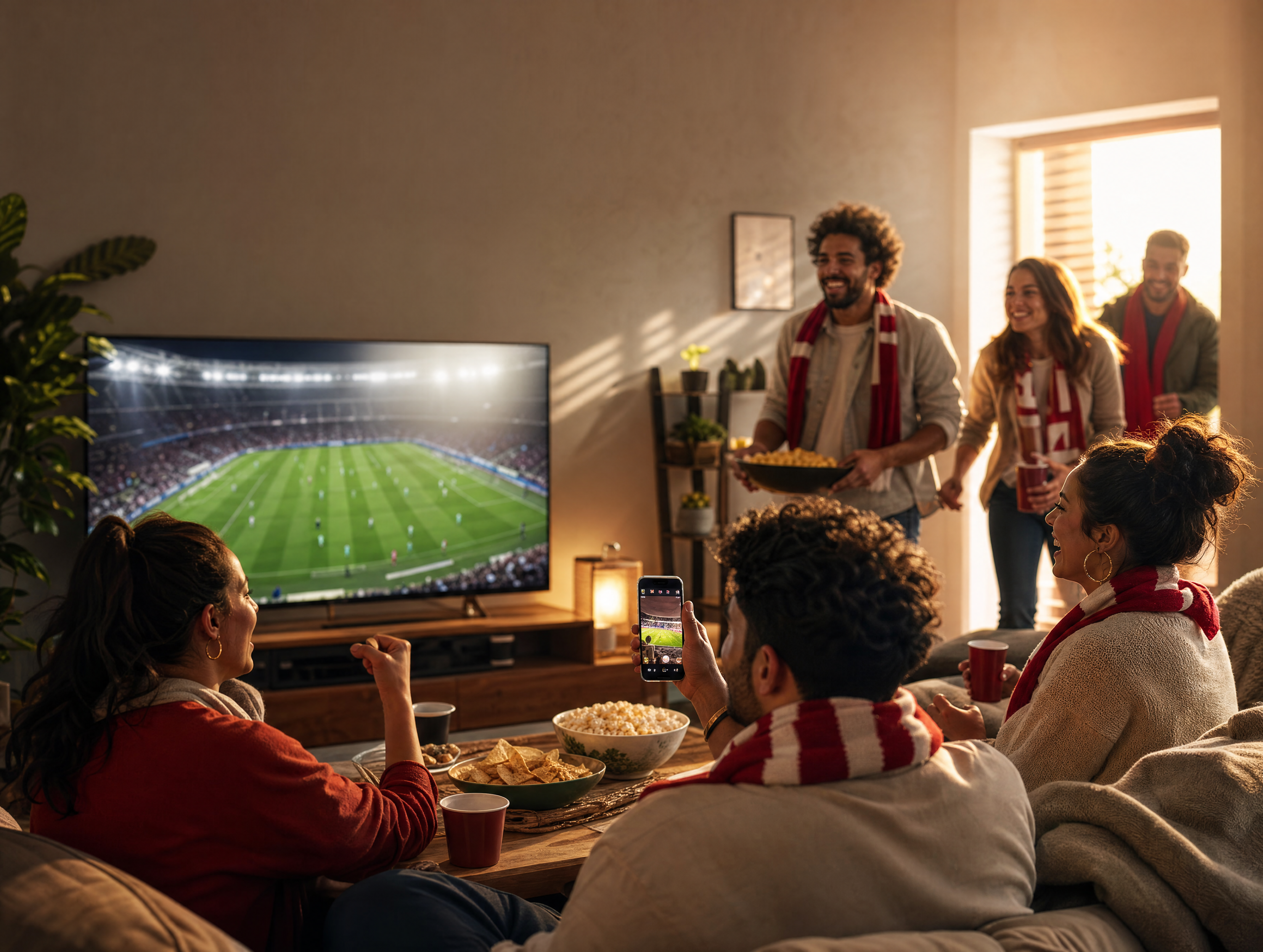
Most World Cup content starts too far away from the viewer. It shows the stadium, the pitch, the players, the trophy, and the crowd. Those visuals matter, but they are not the only story. For a lot of fans, the World Cup is lived in a living room, a bar, a school lawn, a fan zone, a restaurant corner, a creator livestream setup, or a brand event with a big screen and a table full of nervous snacks. That is the watch party opportunity.
For prompts, stay specific: write World Cup 2026, mention the United States, Canada, and Mexico when the host context matters, and use North American watch-party cues such as apartment screenings, sports bars, campus lawns, outdoor fan zones, host-city travel energy, and community viewing events. That keeps the output from drifting into generic or older tournament visuals.
If you want a library of football visuals to pull from first, start with our 100 World Cup 2026 AI prompts. This article focuses on the social and event layer: how to create watch party images, short videos, and recap posts that feel close to the fan.
What a Watch Party Content Pack Should Include
A watch party content pack is not one poster. It should give you enough assets to cover the full fan experience, from the invitation all the way to the next-day recap: an event invitation image, a room or venue setup visual, a snack table or merch table image, a pre-match hype reel, a crowd reaction short video, a halftime social card, a final-whistle celebration visual, and a next-day recap carousel cover.
This matters because watch party content lives across multiple surfaces. It may show up on Instagram, TikTok, YouTube Shorts, event pages, email banners, bar screens, brand landing pages, and creator community posts, and each surface wants a slightly different asset.
Start With the Viewing Setting
Do not start with "World Cup party," because that is too broad to give the model anything to hold onto. Start with the setting instead: an apartment watch party, a sports bar event, an outdoor fan zone, a campus screening, a restaurant viewing night, a brand pop-up lounge, a creator livestream room, or a family backyard projection setup.
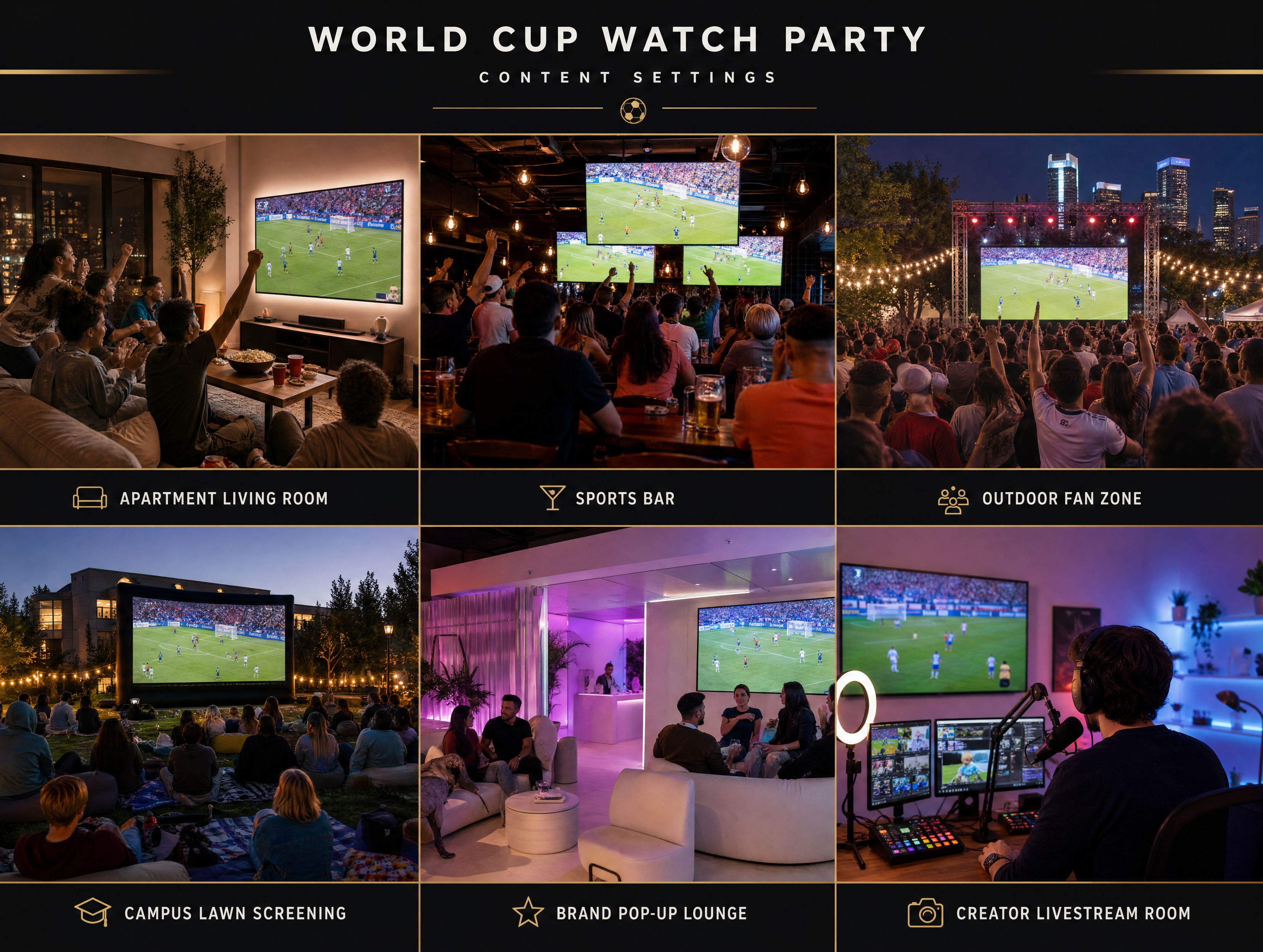
Each setting changes the prompt. A sports bar needs warm crowd density, screens, drinks, table motion, and practical light. A campus lawn needs picnic blankets, projector glow, a dusk sky, and friend groups. A creator livestream room needs camera gear, chat screens without readable text, LED accents, and a host reaction moment.
The setting can also carry host-region texture: a Toronto waterfront fan zone, a Mexico City courtyard screening, a Los Angeles apartment watch party, a New York sports bar, a Miami outdoor plaza, or a Dallas backyard projection night.
Build the Pack Around Four Matchday Moments
The easiest structure is four beats: before kickoff, the first big reaction, the halftime reset, and the final whistle. That gives the content a rhythm without turning into a full match report.
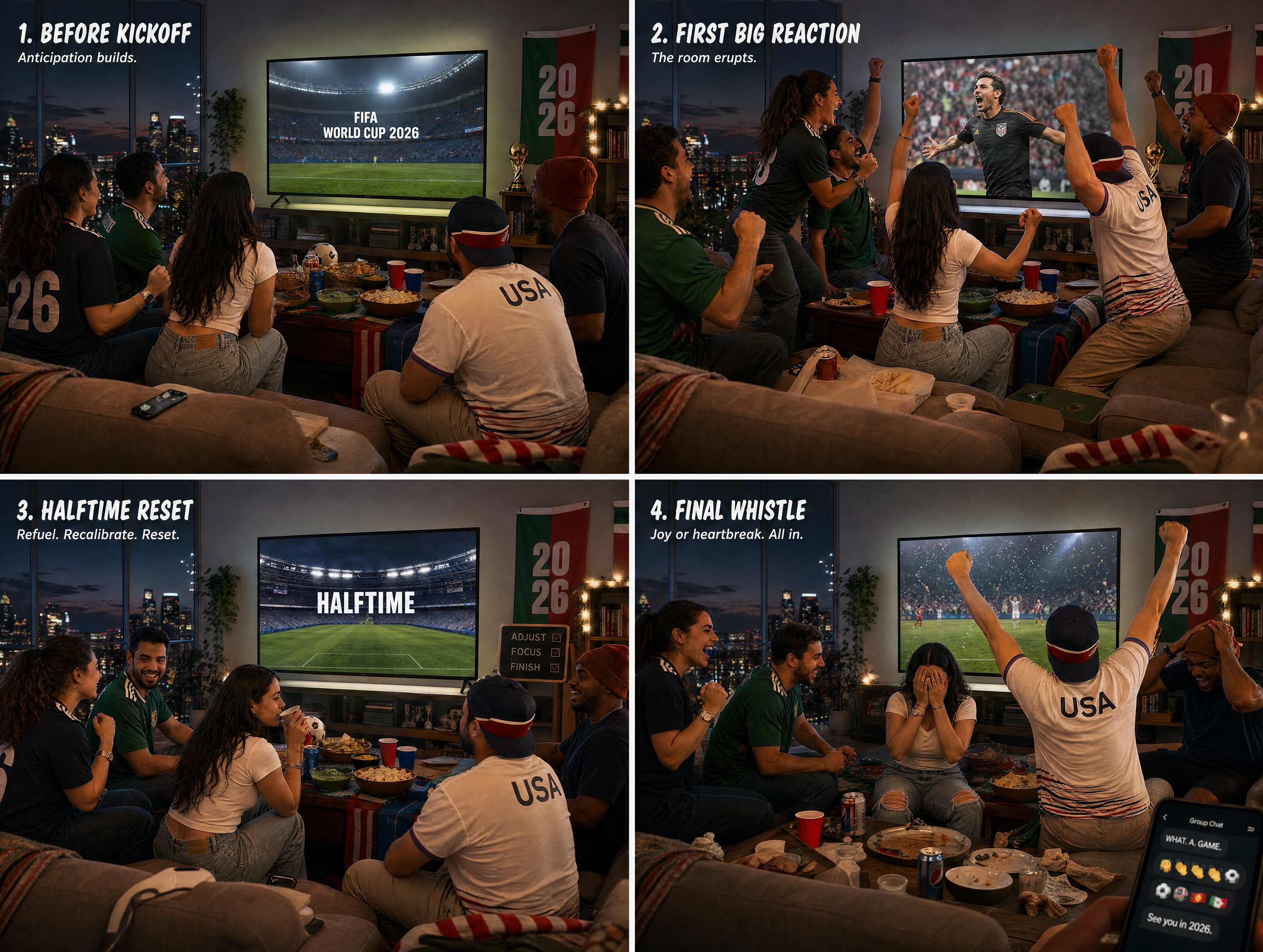
Before kickoff, the content should show anticipation: the room is ready, the screen is glowing, the snacks are out, and people are arriving. The reaction moment should be fast and emotional, with hands in the air, someone half-standing, a table shaking, a phone recording the room, and a drink nearly spilling. Halftime should feel like a reset, with people talking, checking phones, refilling plates, rearranging seats, and trading predictions. The final whistle should be either release or silence, and both can be strong.
Prompt for Fan Behavior
Weak watch party prompts describe objects:
football snacks, big screen, flags, friends watching TV
A stronger prompt describes behavior:
one friend rises before everyone else, two people freeze mid-reaction, the table is half-shaken, the screen glow hits faces, phones are raised, and the room holds one second of collective suspense
Behavior is what makes the image or video feel alive. It also keeps the result from looking like a stock event photo, because the viewer should feel that something is happening right now.
Want to see it come alive? Create watch party images and reels with 100 free credits →
Use a Different Visual System for Each Host
A watch party in a sports bar should not look like a family backyard screening, so give each one its own prompt system:
- Sports bar: warm practical light, crowded tables, multiple screens, staff movement, glass reflections
- Apartment: close friends, couch energy, a snack table, projector glow, a casual handheld feel
- Outdoor fan zone: a wide crowd, dusk sky, a large screen, flags, street food, public-square energy
- Brand pop-up: clean event design, a product table, a branded color palette without readable logos, polished social coverage
- Creator livestream: a host desk, camera setup, a chat wall, a reaction cutaway, vertical framing
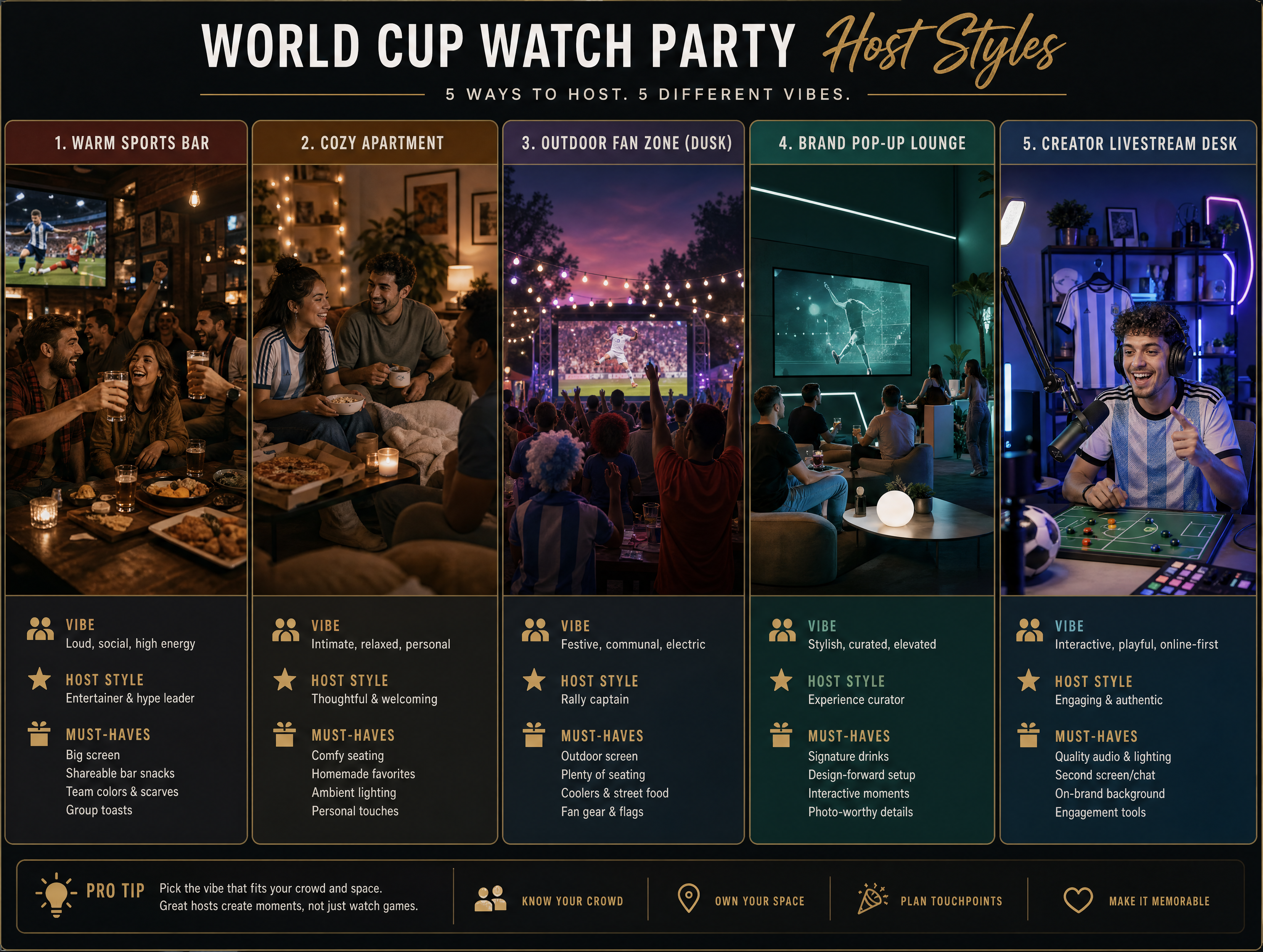
This gives you far more usable variety than one generic watch party scene.
Turn One Watch Party Into Multiple Social Formats
The same watch party can produce several assets: a square Instagram event post, a vertical TikTok or Reels teaser, a wide event banner, a carousel cover, a reaction meme-style still, a recap image, a sponsor-safe product table image, and a YouTube community post visual.
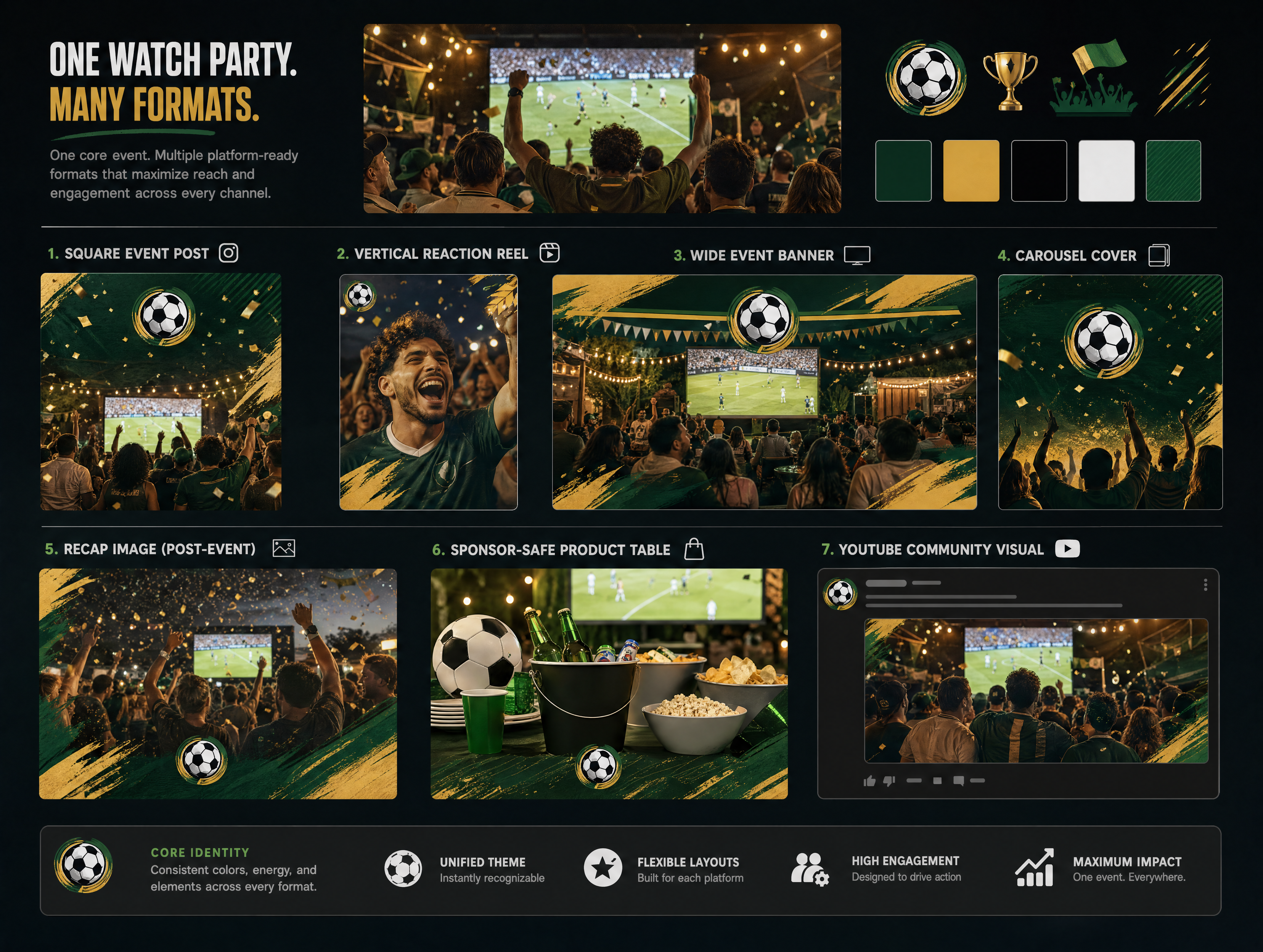
The trick is to decide the format before prompting. A vertical reaction reel needs foreground faces and motion, a wide banner needs negative space, a carousel cover needs a clear topic visual, and a sponsor-safe image needs clean product placement and fewer chaotic crowd details.
Build Short Videos Around One Reaction
Do not ask a fifteen-second clip to show the whole match. Ask it to show one watch party beat:
- The room goes silent before a penalty
- Everyone jumps after a goal
- The halftime snack table becomes a prediction debate
- The final whistle turns a bar into a celebration
- One creator reacts to chat and screen at once
That is easier to generate and easier to watch. It also gives you short clips you can reuse as Reels, Shorts, TikTok posts, ad hooks, event recaps, or email GIF-style motion assets.
Add Merch and Sponsor Assets Naturally
If a watch party includes products, keep them believable. Good placements sit inside the scene rather than in the center of it: a scarf folded on a couch arm, a sticker pack near a snack bowl, a limited-edition cup on a table, a cap hanging from a chair, an event wristband by the entry table, or a sponsor product on a clean side table.
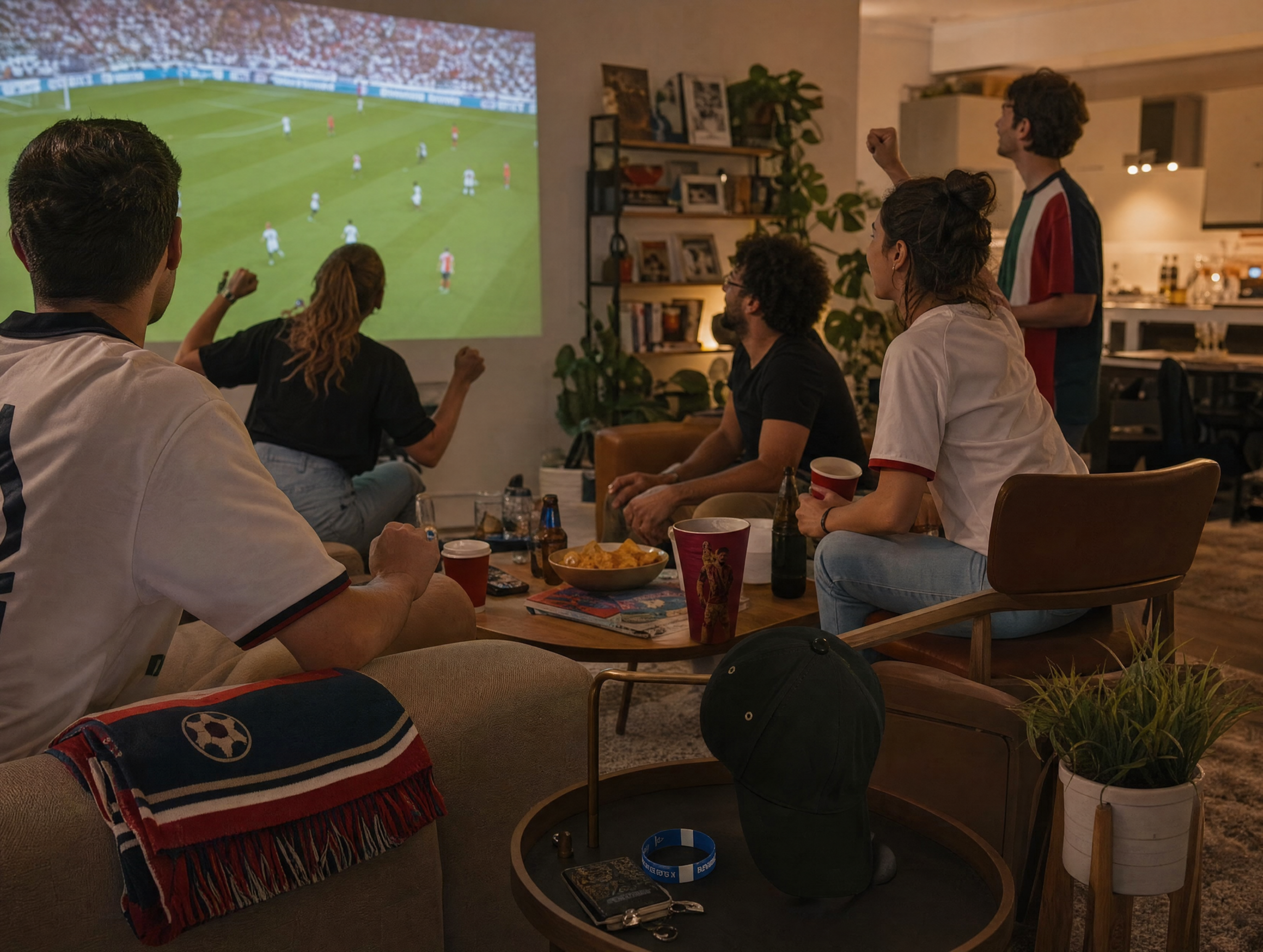
If the product is too centered, the scene stops feeling like a party and starts feeling like an ad. Make the product visible but socially believable instead. For product-specific prompts, use our World Cup collectible merch image prompts.
A Simple Watch Party Content Workflow
To build a full matchday set without making random assets, work in this order:
- Choose the watch party setting
- Pick the four matchday moments
- Generate one hero event image
- Generate one setup image
- Generate one reaction short video
- Generate one halftime reset image
- Generate one final-whistle image or clip
- Create a next-day recap cover
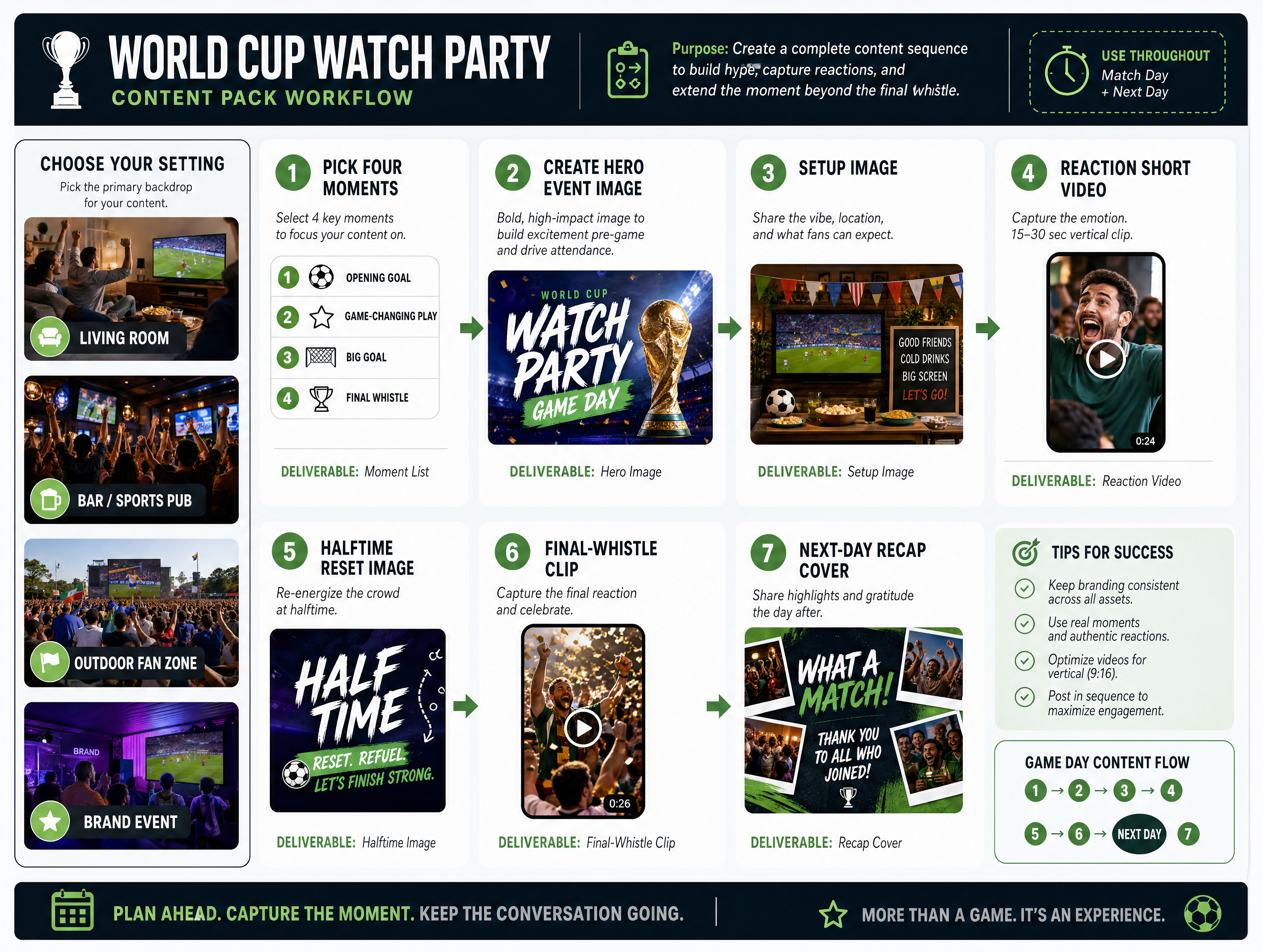
This fits naturally into the broader World Cup content cluster: the prompt library gives you starting visuals, the merch article gives you product detail, and this watch party article gives you the fan-level social texture.
Reusable Prompt Template
Create a World Cup 2026 watch party [IMAGE / SHORT VIDEO] set in [SETTING] with a United States, Canada, or Mexico host-city atmosphere when relevant. The main moment is [MATCHDAY MOMENT], such as pre-match arrival, penalty suspense, goal reaction, halftime reset, or final-whistle celebration. Show [FAN BEHAVIOR] clearly, including body language, screen glow, table movement, phones, snacks, seating, and social energy. Use [FORMAT], such as vertical Reel, square social post, wide event banner, or carousel cover. Lighting should feel [WARM BAR LIGHT / PROJECTOR GLOW / DUSK OUTDOOR LIGHT / CLEAN BRAND EVENT LIGHT]. Keep the scene authentic, social, North American, and easy to read. Avoid official logos, readable team marks, fake crowd chaos, distorted faces, generic stadium-only imagery, and visual cues from older World Cup tournaments.
This template works because it starts with the fan moment instead of the football symbol.
Ready to build the full pack? Turn fan reactions into social-ready matchday content with Thank You AI →
Sometimes the Story Is the Room
World Cup content does not always need to start on the pitch. Sometimes the strongest story is the room watching the pitch. That is where watch party content earns its place: it gives creators, brands, bars, restaurants, and communities a way to publish images and short videos that feel close, social, timely, and emotionally specific. Once you treat the watch party as its own content stage, every match becomes an invitation, a setup image, a reaction clip, a halftime post, and a recap asset.
Make the room the story. Build World Cup watch party images and reels with Thank You AI →
Preguntas frecuentes
Frank is a growth-focused operations and marketing professional with expertise in product data engineering. He specializes in turning user insights into scalable growth strategies. At THANKYOU AI, he leads operations, marketing, and growth efforts, leveraging data to shape product decisions and connect innovation with the audiences that need it most.