AI Movie From One Image: 2-Minute Short Film Workflow


One strong image is enough to start an AI short film. What it cannot do on its own is protect continuity, and that is where most attempts come apart. The result looks impressive for ten seconds and broken by twenty: the character drifts, the camera resets, the background shifts, and the second clip stops feeling like the same film.
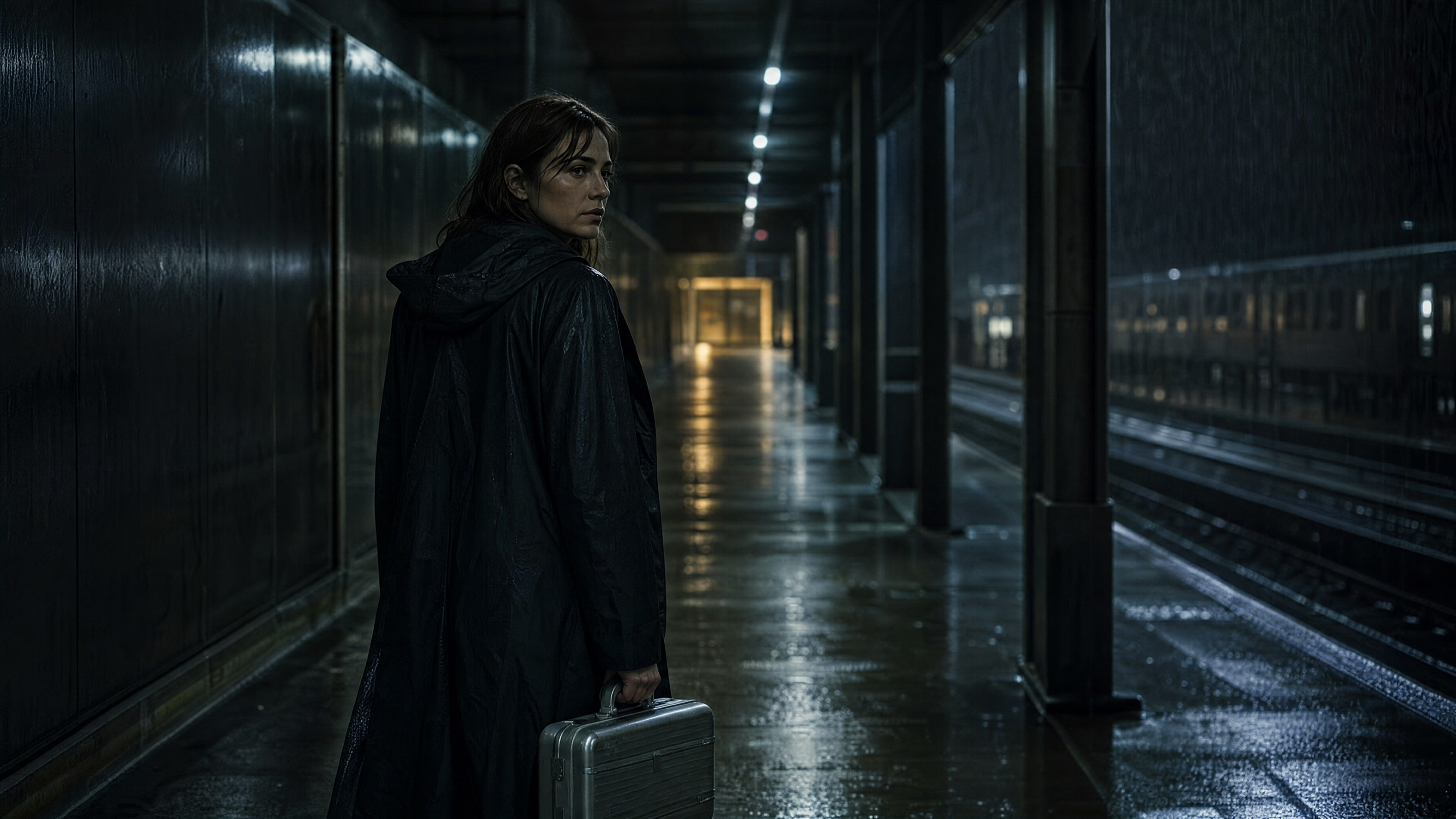
The fix is to stop treating each video prompt as a fresh generation. Treat the first image as the opening contract of the film, and make every later segment inherit from the ending frame of the one before it.
If you have not read the broader foundation yet, start with the AI Movie Prompt Playbook. This article goes one step further, into how to turn a single still into a full two-minute sequence that actually stays connected.
What You Are Actually Building
The goal is not one beautiful clip. It is a usable short-film package built from a single anchor frame: one hero image that defines the film world, one continuity map for how the shots behave, one two-minute long-form video split into connected fifteen-second segments, one short teaser cut for social, and one reusable prompt structure for the next film.
That is what makes one image genuinely useful. You are no longer generating isolated motion, you are building a sequence that can turn into a teaser, a proof-of-concept, a mood reel, or a pitch asset.
Choose an Anchor Image That Can Carry a Scene
Not every image deserves to become a film. A good anchor still already contains a clear subject, a readable environment, one dominant light direction, one emotional question, and room for the camera to move.
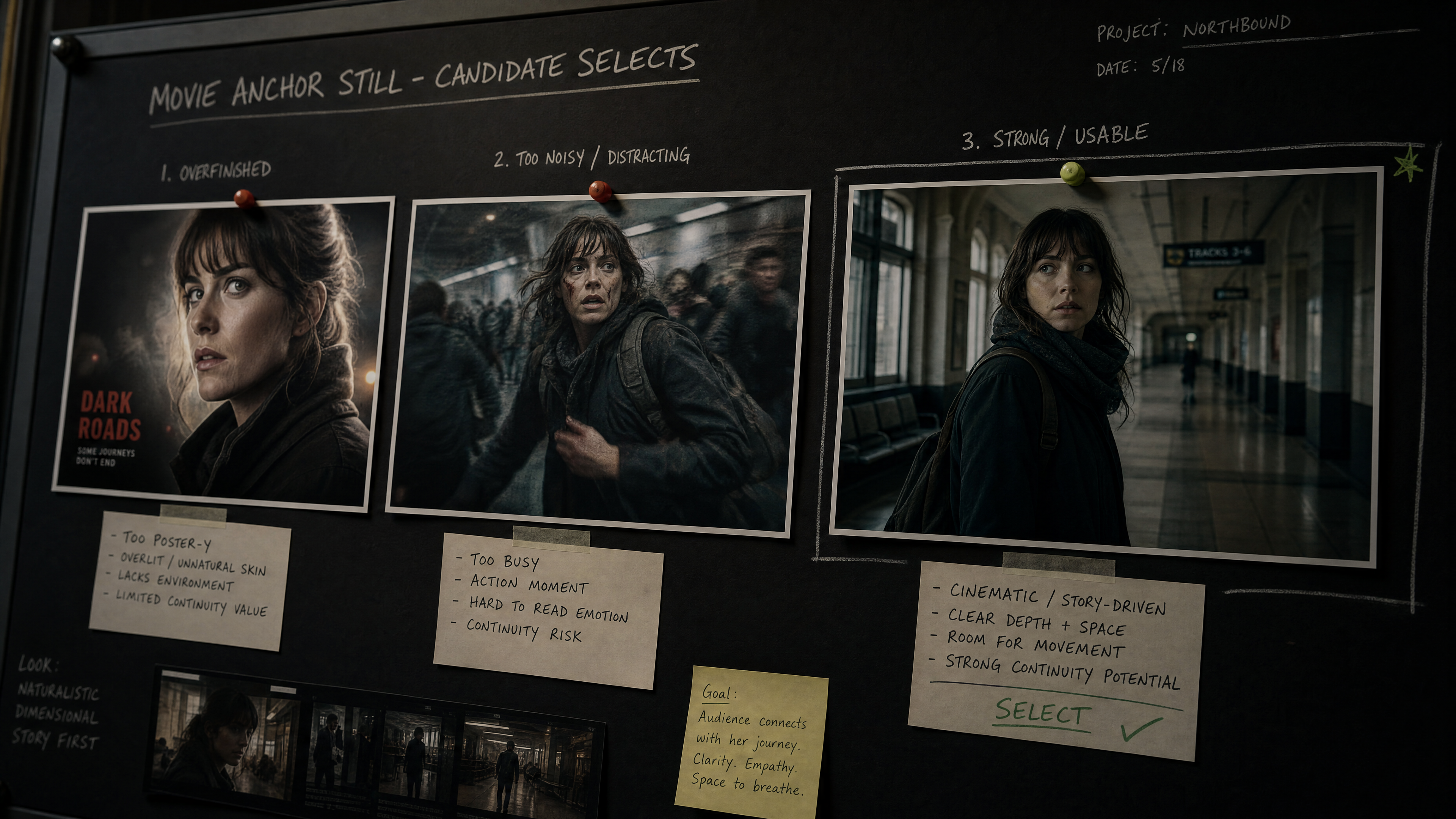
The most common mistake is starting from something that looks like a poster. Posters are too final; they leave nowhere to go. A better anchor feels like a paused moment from a scene that could still expand. A woman in a dark coat standing in a rain-soaked station corridor with a silver case beats a fully posed dramatic portrait, because the corridor gives you depth, the wet floor gives you reflections, the case gives you story, and the stillness gives you somewhere to move.
Continuity Is More Than Character Consistency
Most creators treat continuity as "keep the same person," which is far too small. Real continuity also covers:
- Subject position in frame
- Camera direction and lens feel
- Lighting direction and color temperature
- Background geography
- Prop state
- Motion trajectory
- Emotional intensity
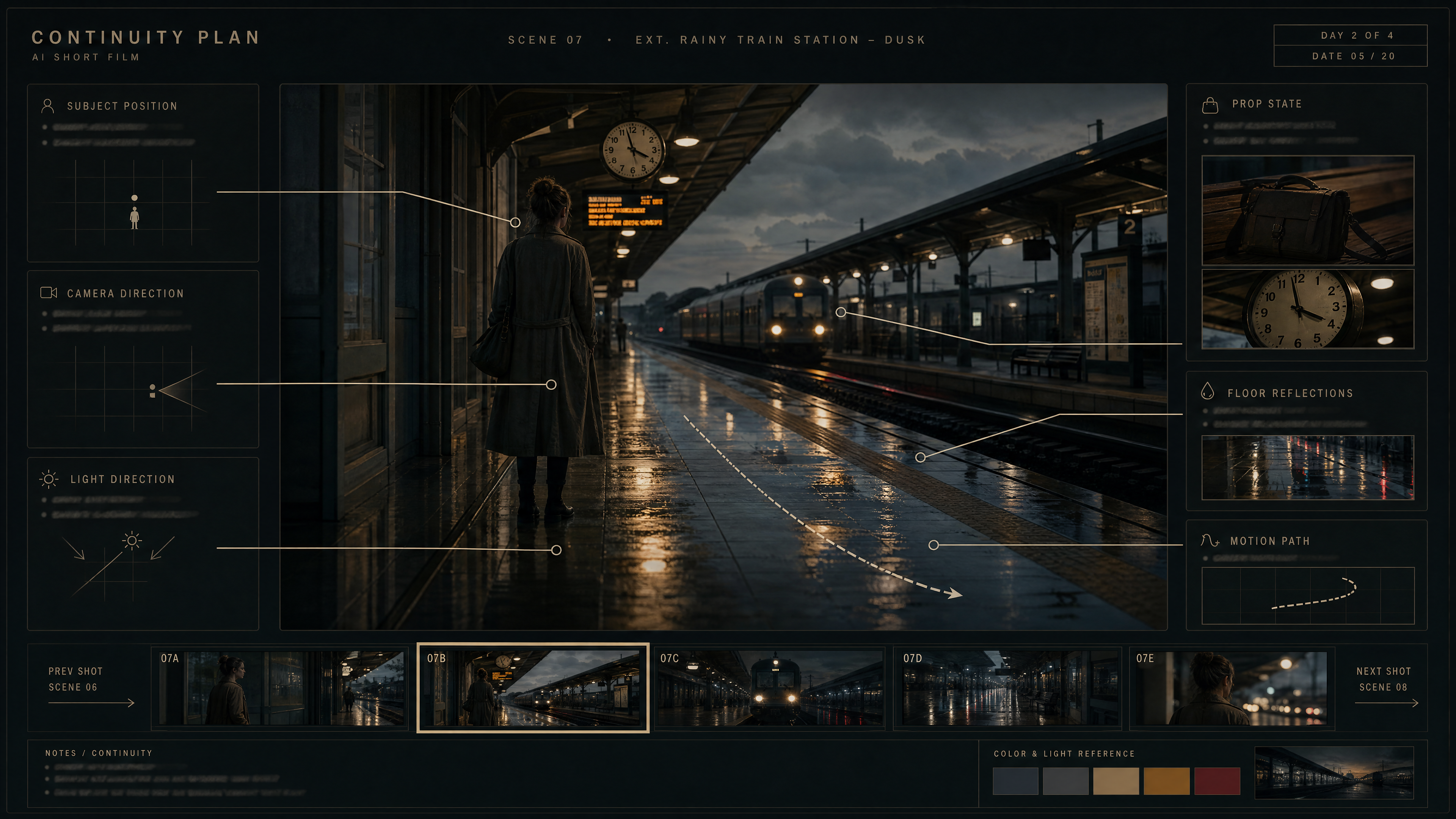
If one clip ends with the character turning left and the next begins with a front-facing static portrait, the scene breaks even when the face still matches. This is exactly why your next segment should begin from the uploaded ending frame of the previous one, not from a rewritten summary of the whole scene.
Build the Two Minutes as Eight Small Shot Jobs
A reliable long-form structure is eight connected fifteen-second segments, each with one job:
- Open the world
- Confirm the subject
- Introduce the first action
- Deepen the environment
- Raise the tension or intention
- Move into tactile detail
- Widen into emotional payoff
- Land on the clearest final hold
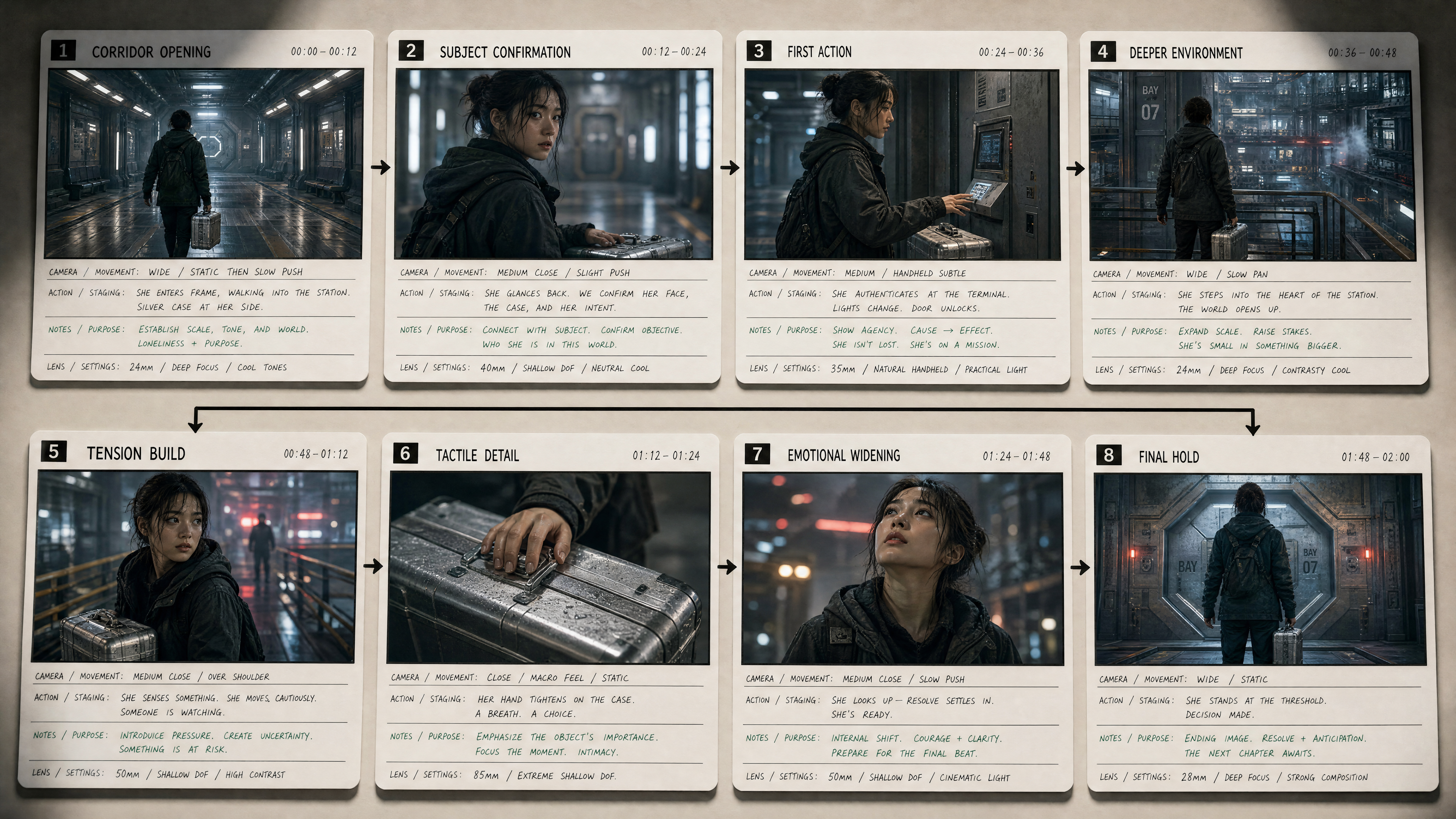
This is nothing like asking one giant prompt to describe two full minutes. Smaller shot jobs give the scene rhythm and give you real control over where each segment starts and ends. The rule underneath it: segment two is not a new clip, it is the consequence of segment one.
Write the End Frame Before the Next Prompt
This is the simplest continuity upgrade most people skip. Before you prompt the next fifteen seconds, write down where the subject is standing at the end, which direction the camera is facing, what the last motion beat was, what light is hitting the subject, and which background objects are visible. That small carry-over note gives the next prompt something precise to inherit.
Instead of:
continue the cinematic station scene
Write:
use the uploaded end frame from the last segment, keep the woman center-left, keep the camera at shoulder height moving slowly forward, preserve the cold overhead fluorescent light and the warm train-light spill from frame right, continue the motion as she shifts her grip on the silver case and hears the approaching train
The second one is a filmmaking instruction, not a mood description.
Keep the Scene Rich Without Making It Chaotic
Film-like does not mean crowded. What makes a segment feel rich is layered behavior: foreground motion, background life, material detail, a motivated camera move, and one clear emotional beat. For a station sequence, that might be rainwater trembling under fluorescent light, fabric moving in the passing air, distant passengers blurred behind glass, the case handle tightening in the character's hand, and a slow push that discovers the face instead of rushing it.
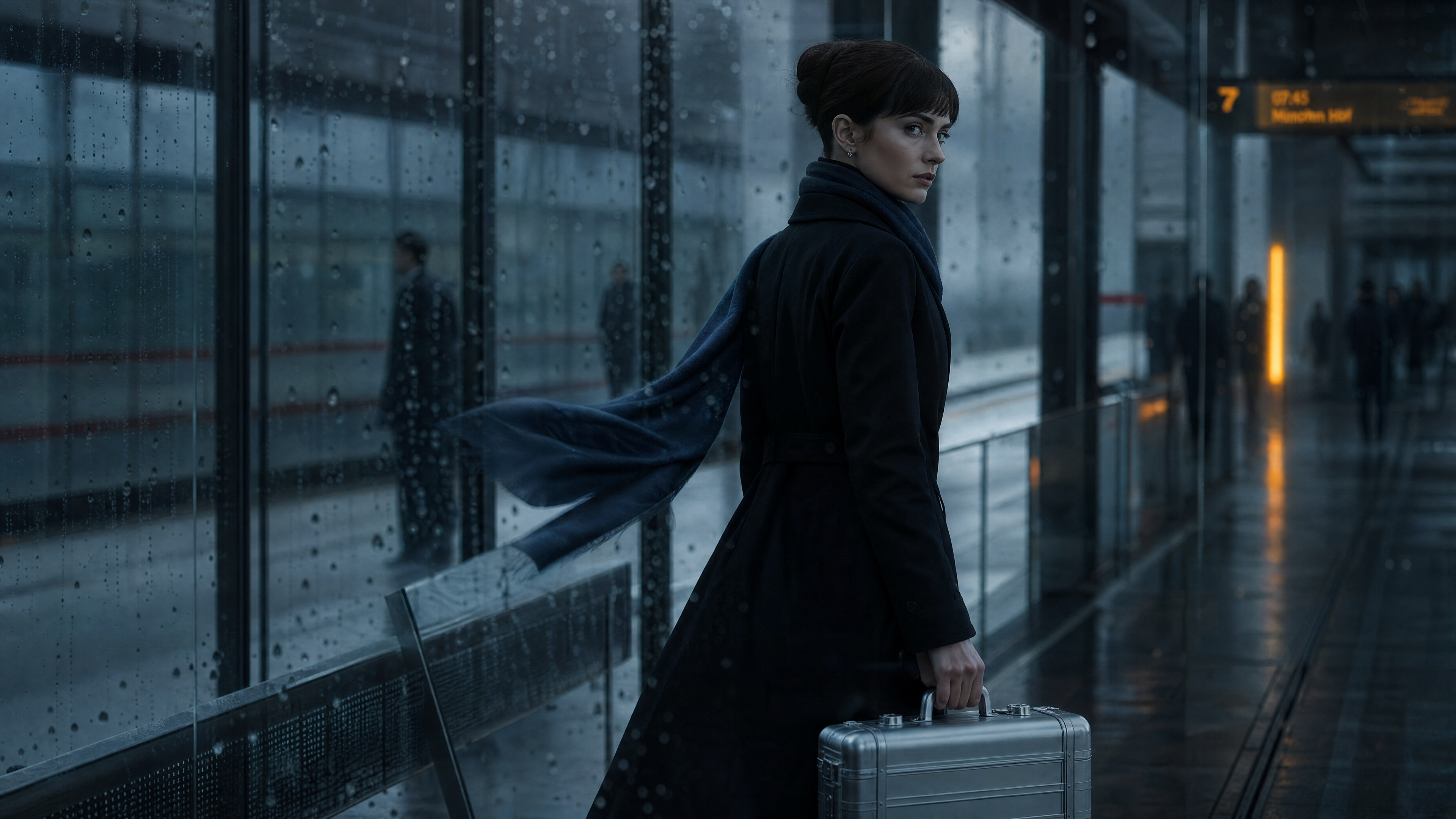
That is enough. You do not need an explosion of visual information to make a clip feel cinematic.
A Prompt Structure for Connected Long Video
For every segment after the first, write in this order:
- Inherit the uploaded final frame
- Lock subject position and camera direction
- Describe the next motion beat only
- Add one environmental layer
- Define the emotional change
- Define the new ending frame
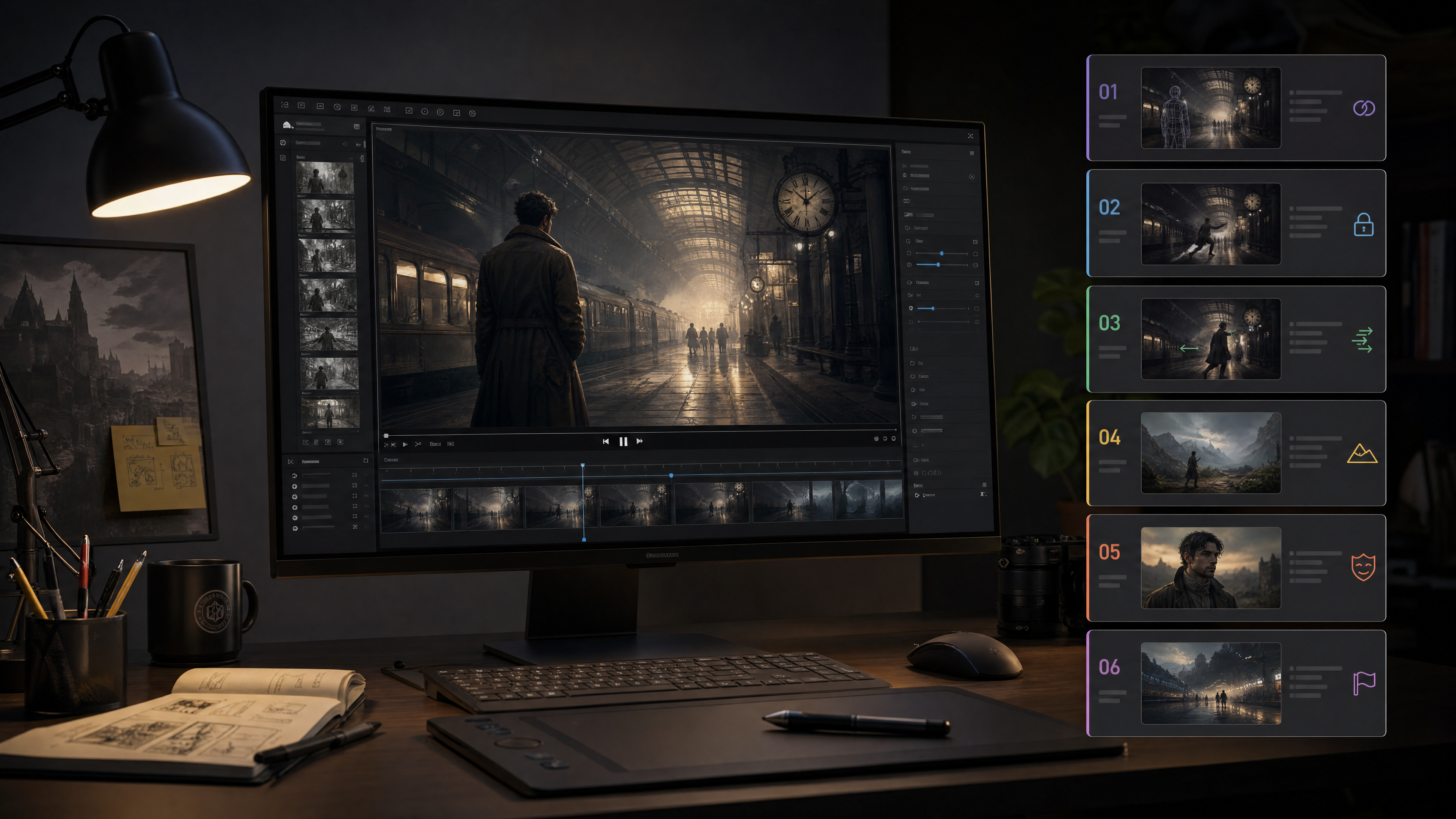
That last step matters most. If you do not design the ending frame, you are gambling on the next segment. In practice the prompt should read closer to:
continue from this exact end frame, keep the same corridor geometry and shoulder-height forward drift, let the woman pause for half a beat, look toward the platform light, then resume walking as a gust of train wind lifts the edge of her coat, ending with the silver case catching a narrow warm reflection
That is how you get continuity and richness in the same shot.
Want stills and connected video in one place? Turn one image into a full sequence with 100 free credits →
Keep One Film World for the Whole Sequence
If you want the long video to feel like a film, do not rebuild the world every fifteen seconds. Use one environment family of connected spaces, for example a corridor, then the platform entrance, the platform edge, an overhead bridge, and a final train-light hold. The scene still evolves, but it evolves through connected geography instead of unrelated resets. That is also why the example in this guide uses one premise from start to finish: continuity is far easier to learn when the film world stays stable.
The Real Upgrade Is the Sequence
The upgrade is not "make the prompt more cinematic." It is making every segment answer one question: what exactly is happening one second after the last frame ended? Once you work that way, one image stops being a starting point for isolated clips and becomes the opening frame of a real sequence.
Build sequences that hold continuity across every fifteen-second segment. Create film-style image and video workflows with Thank You AI →
よくある質問
Frank is a growth-focused operations and marketing professional with expertise in product data engineering. He specializes in turning user insights into scalable growth strategies. At THANKYOU AI, he leads operations, marketing, and growth efforts, leveraging data to shape product decisions and connect innovation with the audiences that need it most.